Starter
For one shop with one or two tills.
KES 15,000
once, then KES 3,000 a year from the second year
- 1 branch
- 2 tills
- Set up and run by us, first year included
 General POS
Take M-Pesa at the till without asking the customer to type a paybill number or the cashier to check SMS messages. Send a payment prompt to the customer's phone and the sale is marked paid when they approve it.
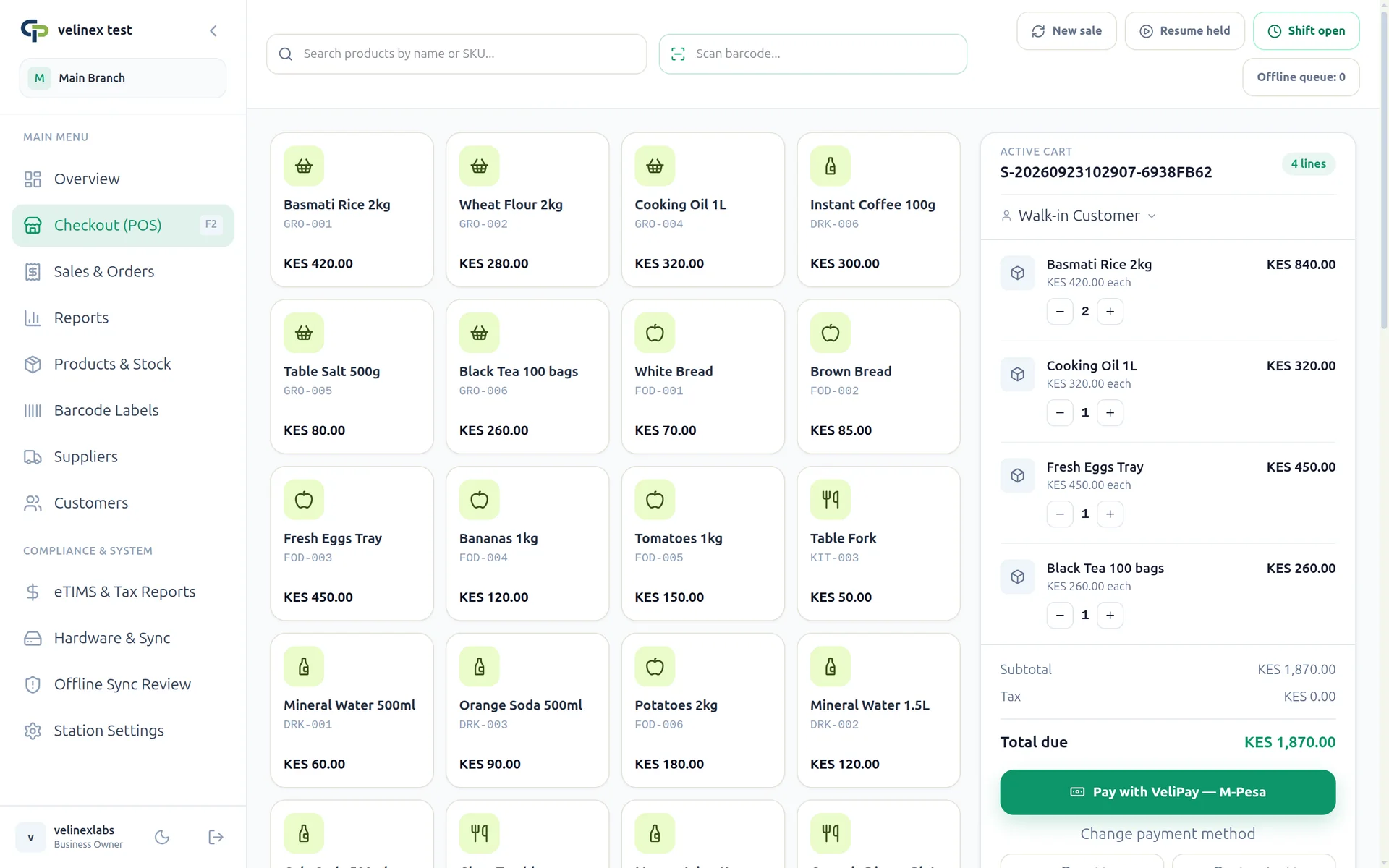
The cashier enters the customer's number and a payment prompt appears on their phone. When they pay, the till shows the sale as paid.
A sale is only marked as paid when the payment provider confirms it, and a repeated confirmation never counts the payment twice.
Cashiers can record cash, or a card payment with its terminal reference, on the same sale. Shifts end with a cash count.
Every payment keeps the amount, status and provider reference with the sale, so you can match your M-Pesa statement to your sales.
Start taking M-Pesa straight away, with no paperwork with Safaricom. VeliPay keeps a small fee from what you receive. See the pricing page for the current rate.
If you already have a paybill or till number, connect your Daraja details in Settings and payments go straight to your own account.
Businesses that collect through I&M (Tuma) or KCB (BUNI) can connect those as well.
Provider keys are encrypted and only masked values are shown after you save them.
One payment to start, which includes the first year. After that you pay a small yearly fee.
For one shop with one or two tills.
KES 15,000
once, then KES 3,000 a year from the second year
For up to three shops that share stock.
KES 25,000
once, then KES 5,000 a year from the second year
For businesses with up to ten branches.
KES 40,000
once, then KES 10,000 a year from the second year
POS with a KRA eTIMS integration: submit invoices from the till, map products to eTIMS item codes, and keep sales and stock in one system. From KES 15,000.
POS that keeps taking cash sales when the internet goes off. Sales are saved on the till and sent to your system when the connection returns. From KES 15,000.
Pharmacy POS in Kenya with batch and expiry tracking, expiring-stock reports, prescription references, M-Pesa checkout and branch stock. From KES 15,000.
Talk to us on WhatsApp about moving to General POS.
The cashier enters the customer's number and a payment prompt appears on their phone. Once they pay, the till shows the sale as paid.
Not if you use VeliPay, which needs no paperwork with Safaricom. If you want money to go straight to your own paybill or till number, you connect your own Daraja details in Settings.
VeliPay keeps a small percentage of what you receive, shown on our pricing page. Normal M-Pesa or bank charges may also apply.
The sale stays unpaid until the provider confirms the payment. The cashier can take cash instead or try again.
Yes. Each payment is saved with the sale, including the amount, status and provider reference, and you can export sales for your accountant.
From the app: choose Register a new business, pick a plan and approve the M-Pesa prompt on your phone. Your system is ready a few minutes after the payment goes through.